JWA Deck Builder V. 2 is Here
Welcome JWA Deck Builder V. 2 to the world!
In the fully updated deck builder, you will find a bevy of surprises and upgrades to enjoy while making your way through brewing your favorite new deck.
I’ve rolled out a ton of new updates and improvements to the JWA Deck Builder – some of these brand new as of today, and some of these including the latest updates rolled into this one.
Below, let’s look at everything that’s new in JWA Deck Builder V.2
A better way to choose alt arts
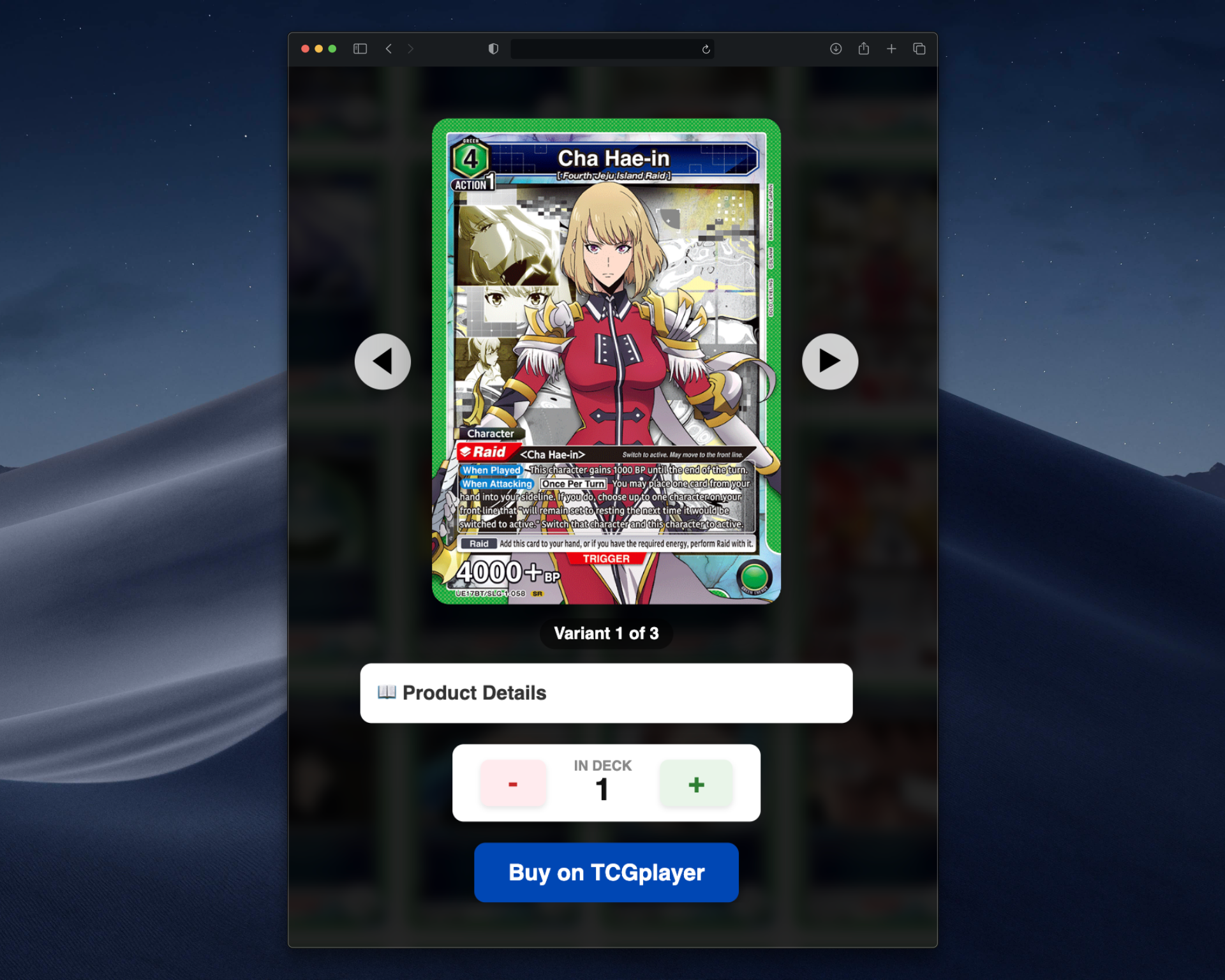
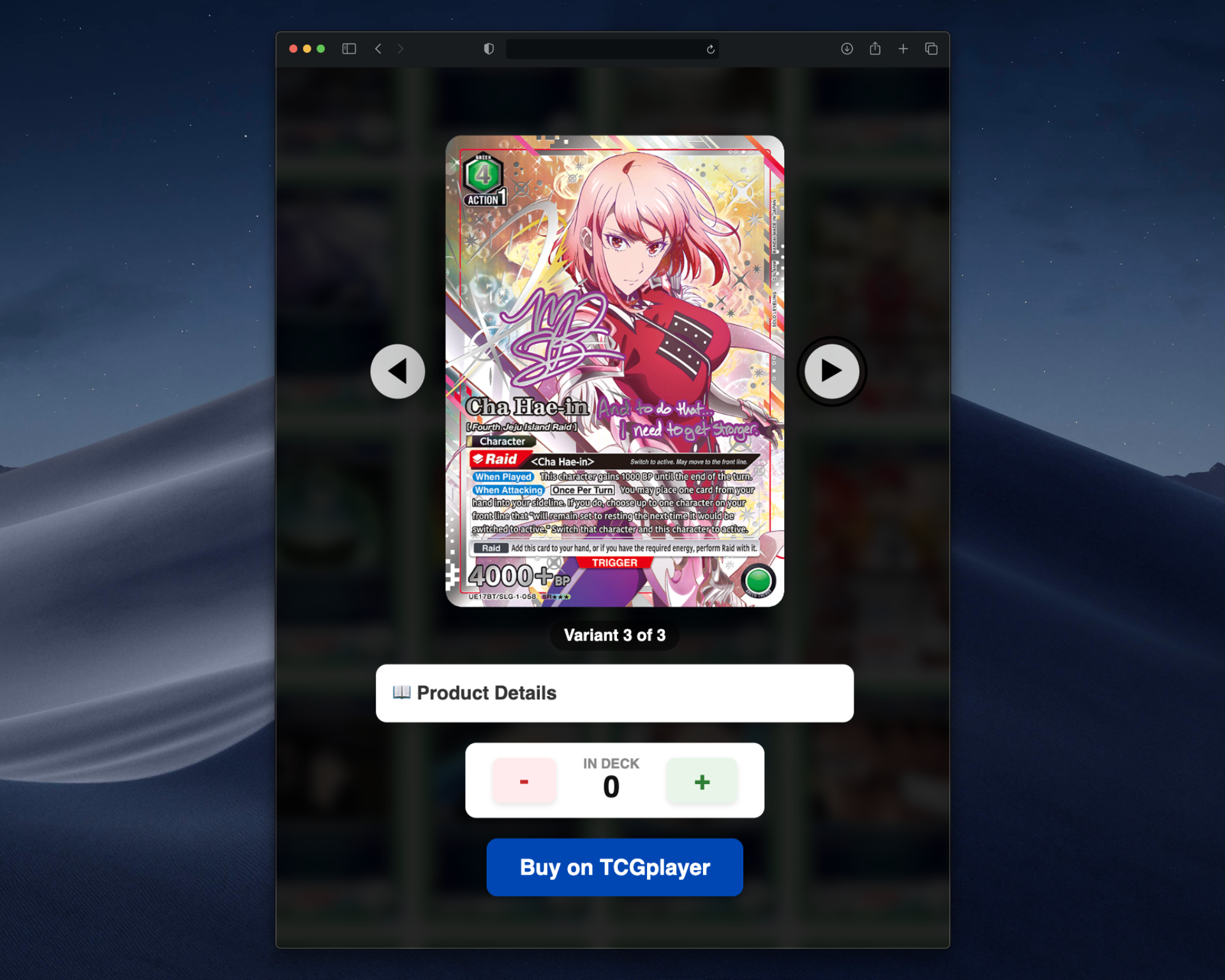
First of all – and probably the biggest thing you’ll notice right away when using the deck builder is that there is now an intuitive way to choose what version of a card you want to use in your deck. Instead of just seeing every single version of a card in the card view, you’ll only see the base version of card. When you click into that card via the magnifying glass, you’ll be able to select which version of the card you want to add to your deck.
Also, the builder will automatically limit you to four copies of the card regardless of variant as per the UNION ARENA rules.
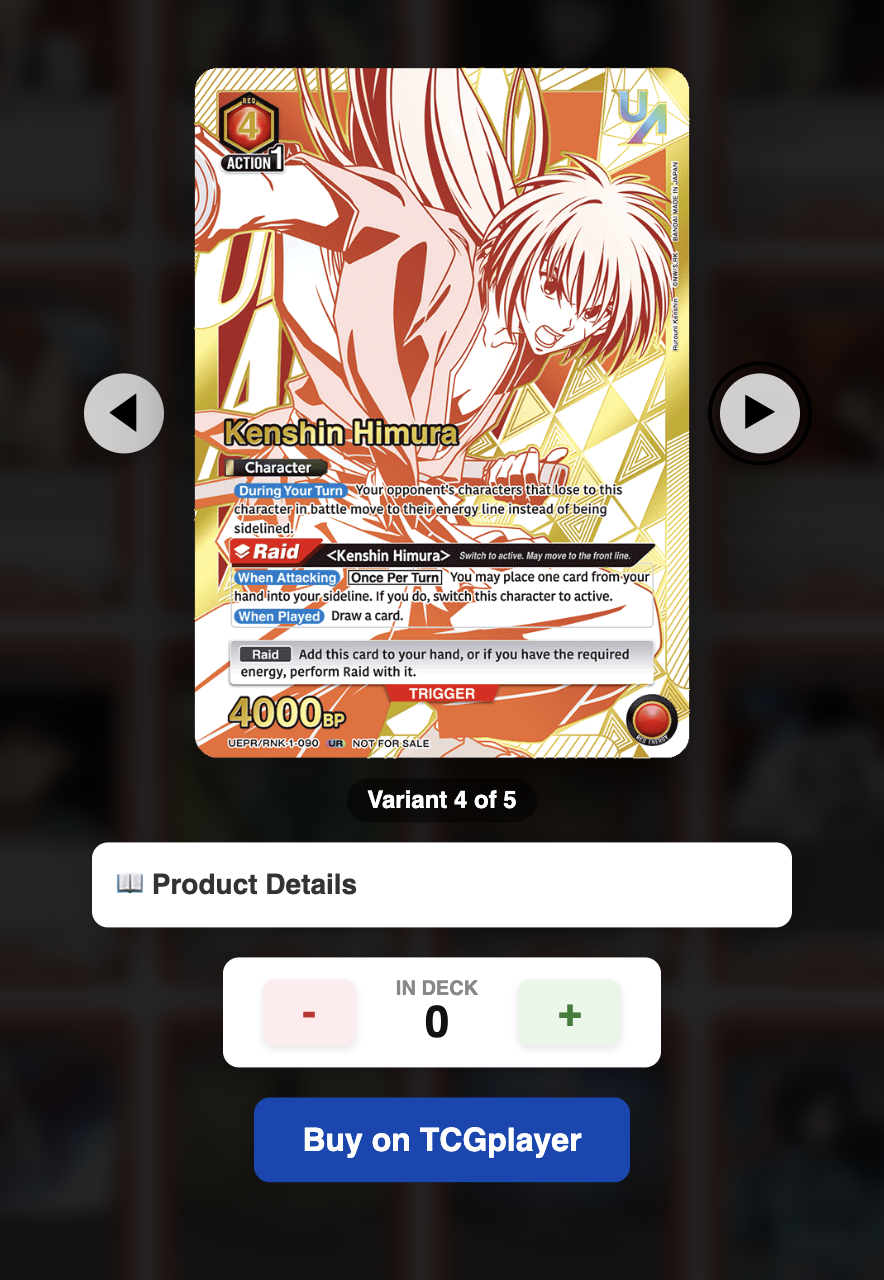
Lastly, you’ll see Prerelease stamped cards, promos, even UNION RARE cards are now selectable for your deck, giving you plenty of customizability to build the deck you really want.
All sets have alts now
Speaking of different card variations, all UNION ARENA sets within the builder now have the complete list of cards including alternate arts.
Additional info added to cards
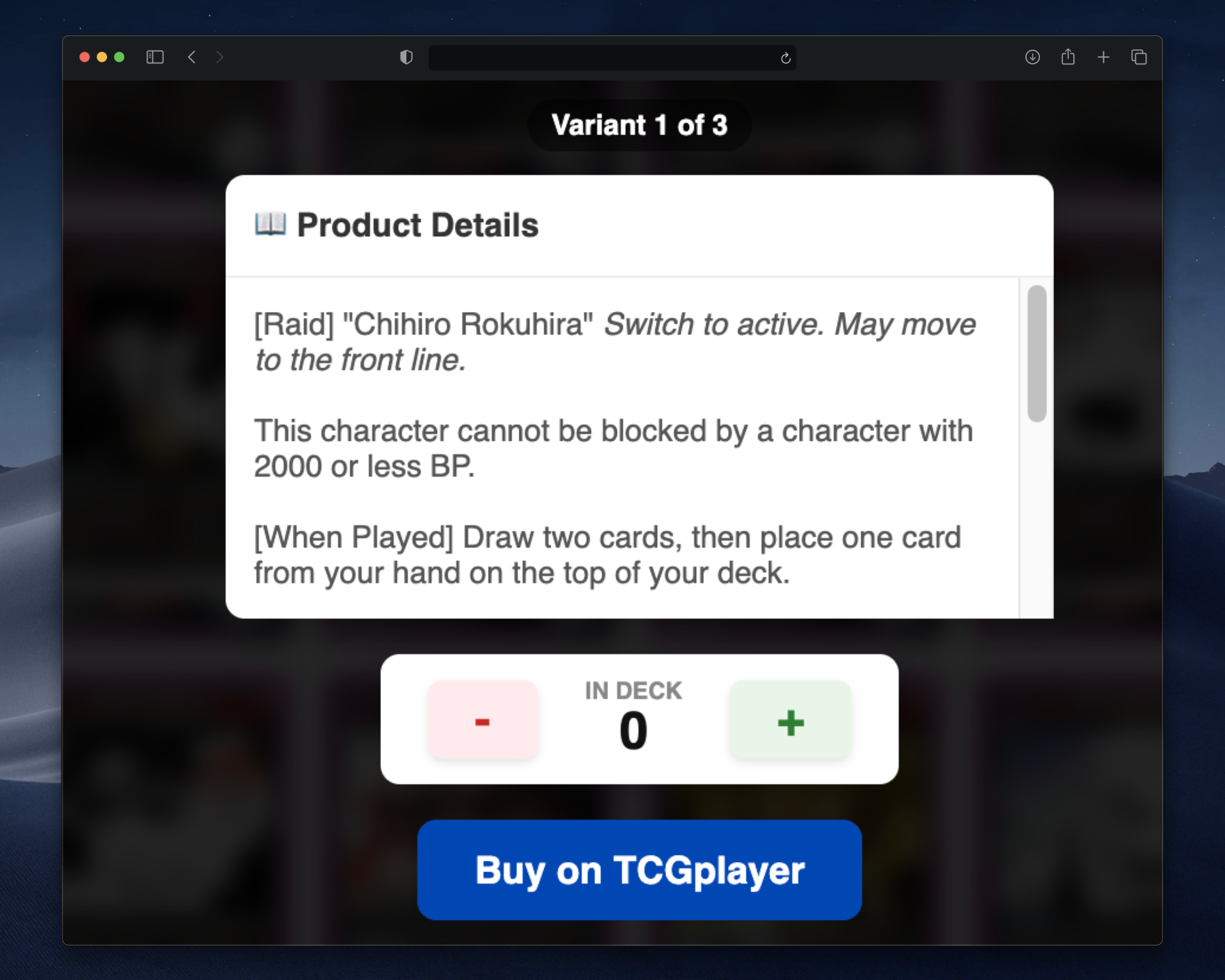
Part of the V. 2 Launch for the deck builder includes an enriched card database, giving you access to card details directly within the deck builder! To see detailed product info, just click the “Product Details” button within the magnifying glass pop up.
Better “Buy on TCGPlayer” buttons
Buy on TCGPlayer buttons make it easy for you to get the cards you need. Buttons now take you to the exact card you are looking at rather than just a set-level overview within TCGPlayer.
AP cards added
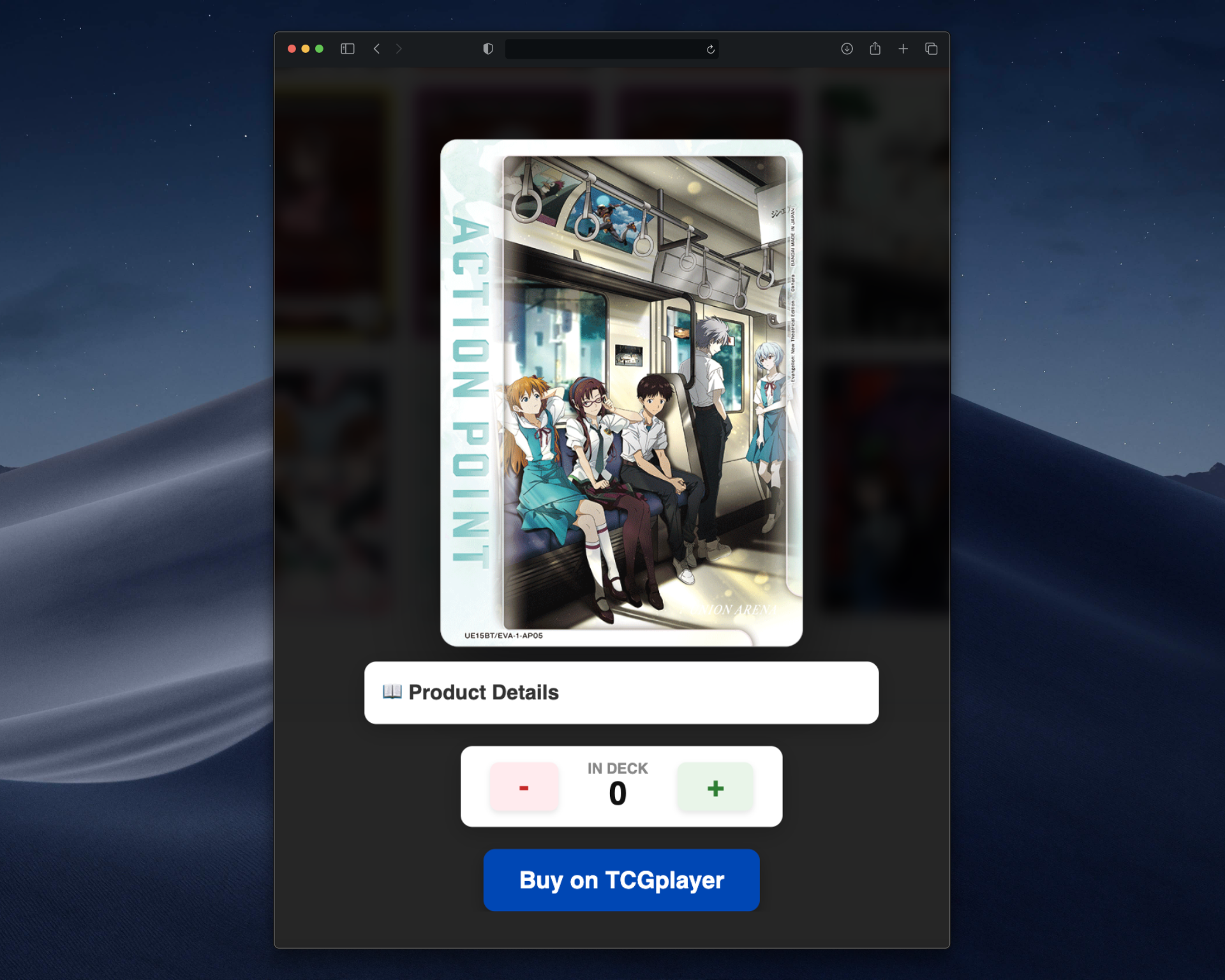
While they don’t currently serve any function within your deck, it’s fun to be able to see what AP cards are in any given set. You can now browse a set’s available AP cards directly within the builder.
New and improved JWA Premium Deck Builder features
JWA Deck Builder V2 includes a host of new improvements and features for Premium Members with an active JWA Premium Deck Builder subscription.
Deck Sensei is smarter than ever
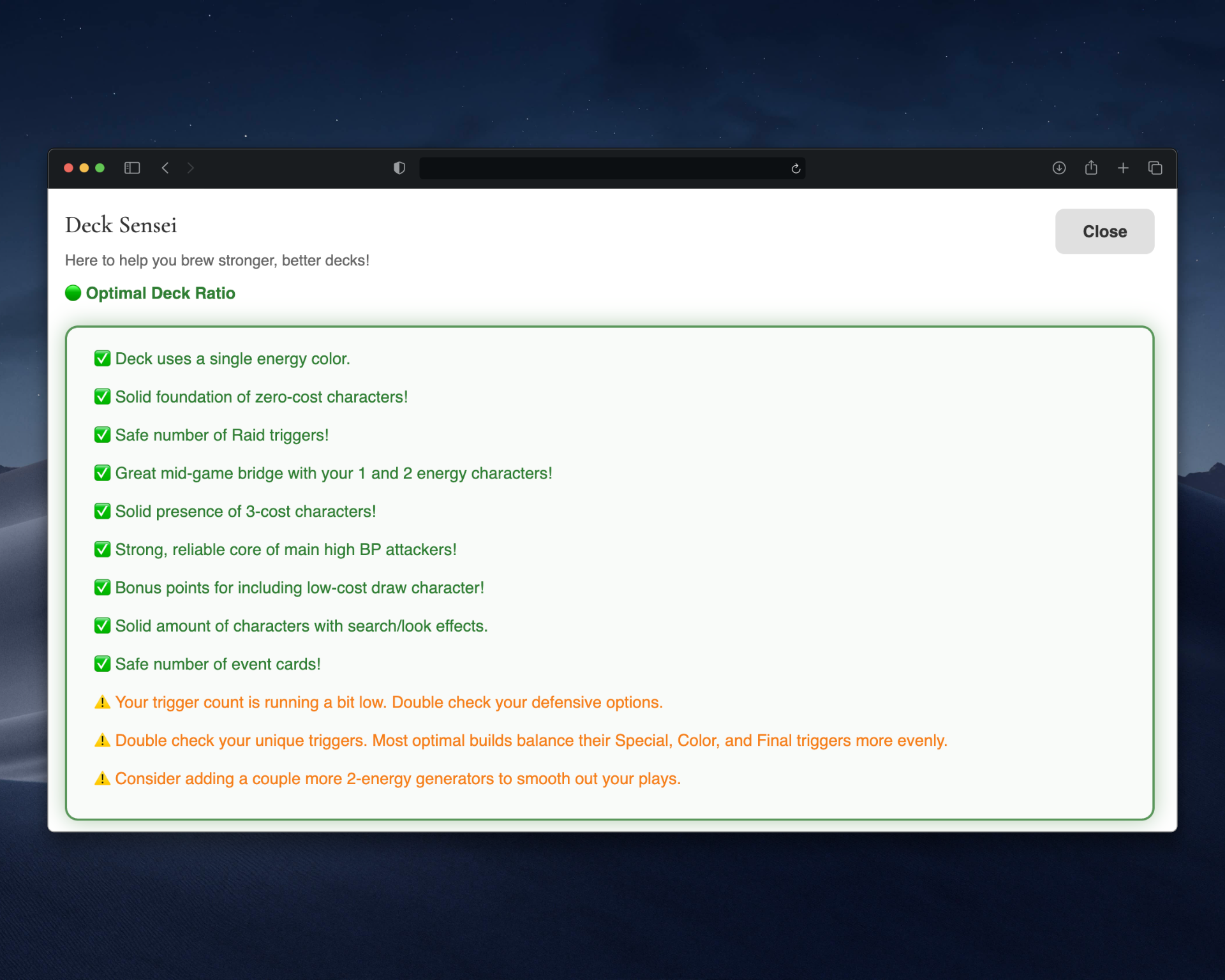
With an enriched card database also comes a smarter Deck Sensei! Now, the world’s first TCG deck building coach, Deck Sensei, (available within the JWA Premium Deck Builder) will review advanced deck building metrics and principles, such as how many low-cost draw characters are in your deck, what your energy-gen curve looks like, and more!
Cloud Saving via JWA Premium Cloud
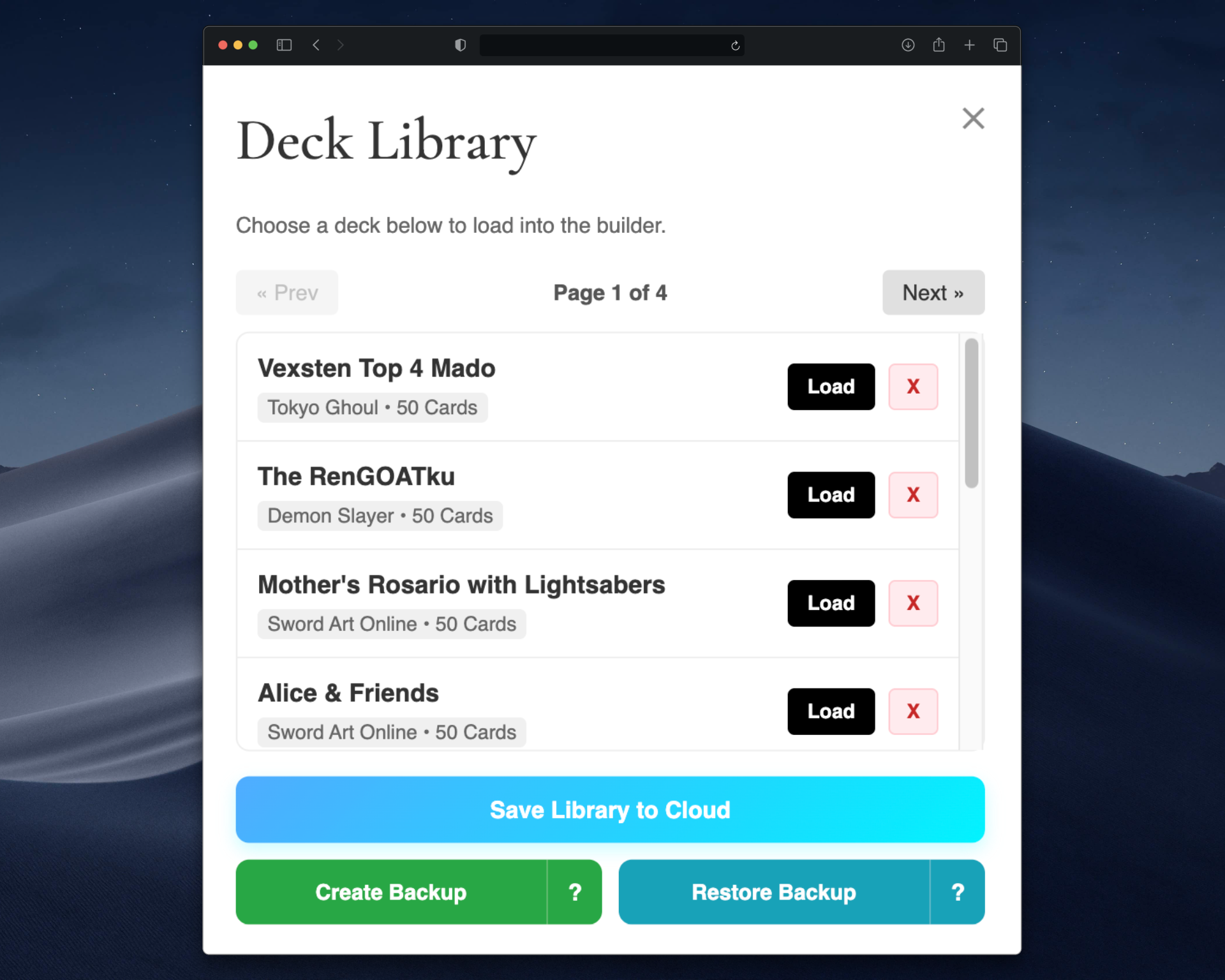
One of the biggest quality of life improvements available in the JWA Deck Builder V.2 is Cloud Saving. This is made possible via the JWA Premium Cloud feature, letting you access your deck library from any device. Free users of the basic JWA Deck Builder won’t be able to save their library to the cloud, but they do now have access to backup/restore for their entire deck library.
Direct publishing to the website
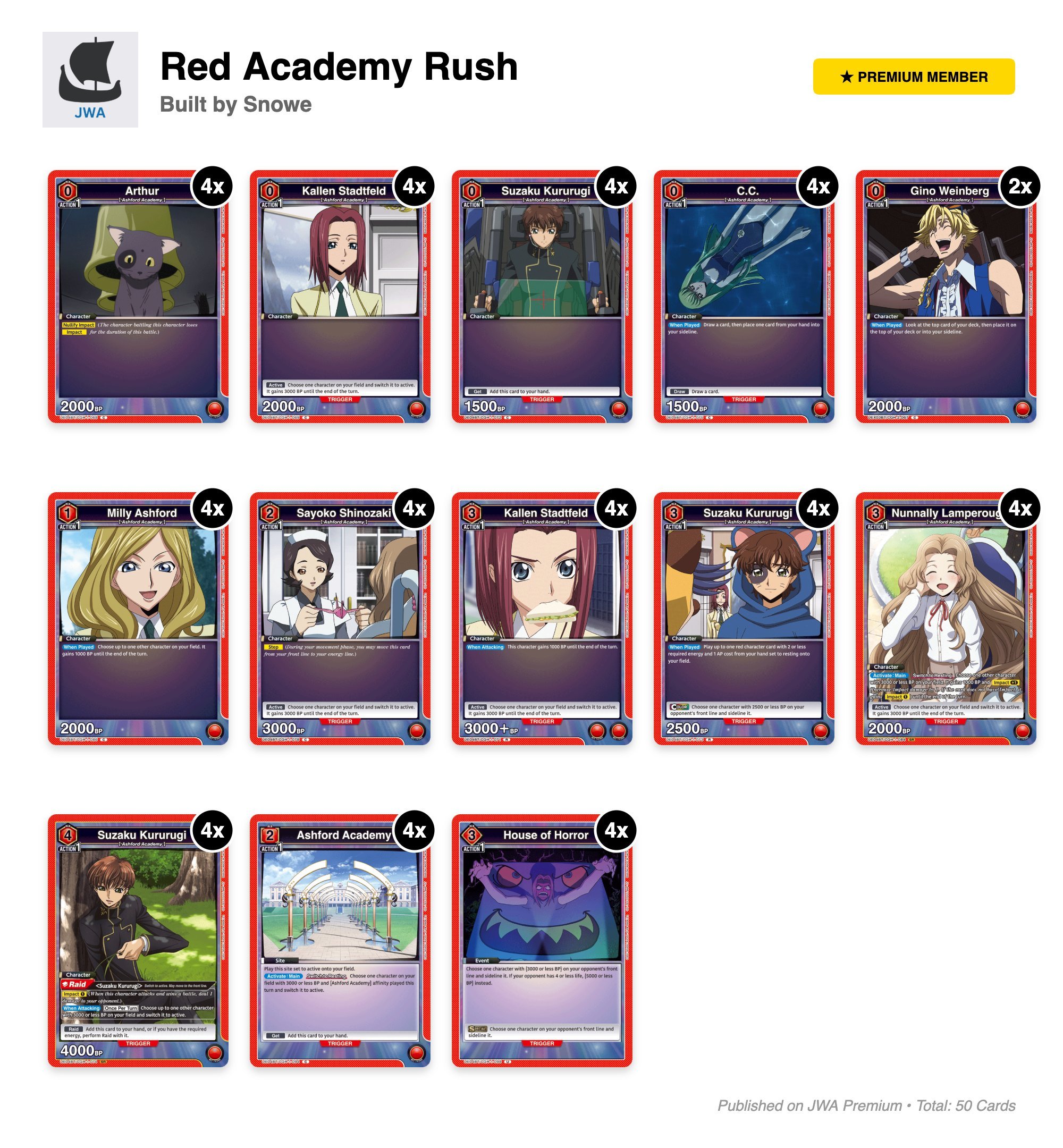
Thanks to JWA Premium Cloud, Premium Members can publish their decks directly to the website. Find these under the Public Member decks section of the website.
General performance improvements
While we’ve covereda ll the big stuff above (new features, user experience improvements and more), a bunch of smaller improvements and enhancements have also been made to the builder to make it run faster and smoother, making your deck building experience more fun and hassle free.
Try out the latest improvements and features yourself today!