New JWA Deck Builder is Here! Start Theory-Crafting Tokyo Ghoul Decks Now
Tokyo Ghoul is right around the corner with release events starting on April 17, 2026 and the full release happening just one week later. To help you get started theory crafting your next favorite UNION ARENA deck, I’ve added a brand new UNION ARENA deck builder to the site. Now you can read up on strategy, catch the latest UNION ARENA news and build your next tournament winning deck all in one place. Here’s how.
The JWA UNION ARENA deck builder: getting started
First, you’ll need to head over to the JWA UNION ARENA deck builder. Once there, scroll down to the deck builder itself. You’ll have to select what IP you want. At the time of writing this, I’ve only added Tokyo Ghoul cards to the deck builder. Soon there will be many more cards and sets to build with. So choose the set you are wanting to build (for right now, that’s Tokyo Ghoul).
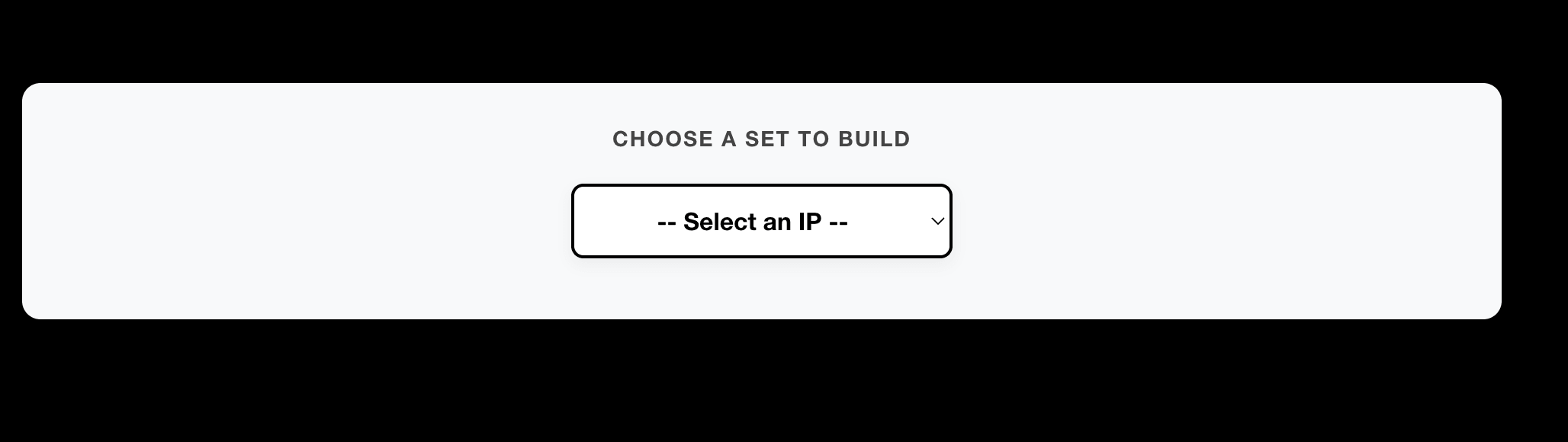
Filtering by color and sorting
After choosing the set you want to build, you’ll see this interface.
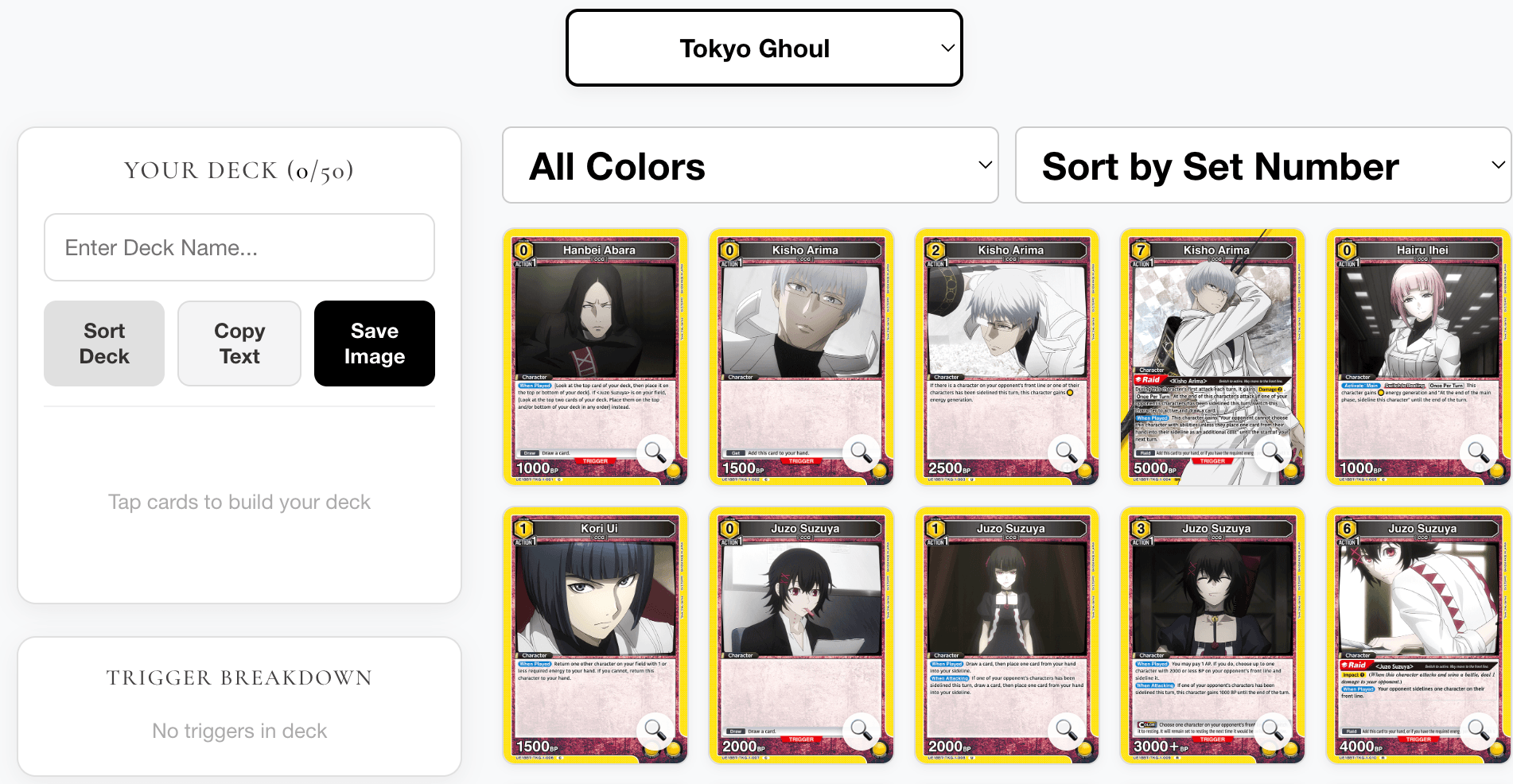
From here, you can do several handy things to make your deck building experience easier and more enjoyable. For starters, UNION ARENA is built around energy colors. Naturally, you’ll want to select the energy color that you want to build with first. Click the “All Colors” selection and you’ll be able to choose which colors to get started with from there. The builder will then filter out all of the other cards in the set so you can focus on building your deck within the energy color you are wanting to work on.
From there, you can further refine how the cards are displayed within the card list by “Card Type” or by “Energy Color.”
Selecting cards for your list
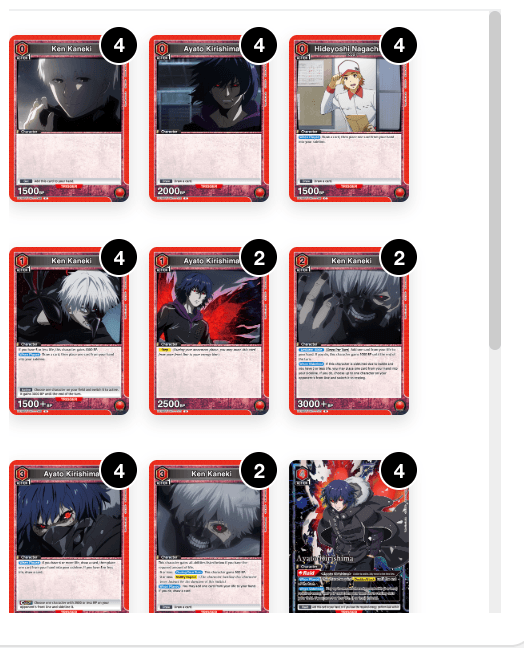
As you work your way through the available cards, you’ll find that you can click on certain cards to add copies of them to “Your Deck.’
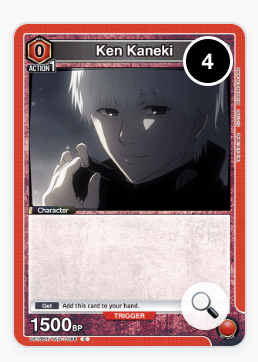
You can add up to four copies of any given card, and as you add them, the deck builder will let you know how many copies of the given card are currently in your list. When I build a deck, I frequently like to double check the card’s stats and abilities/effects. To make this easier for you, you can just click the little magnifying glass. This will present an enlarged version of the card that should be very easy for you to read in full – just like it would be if you were holding the card right in front of you.
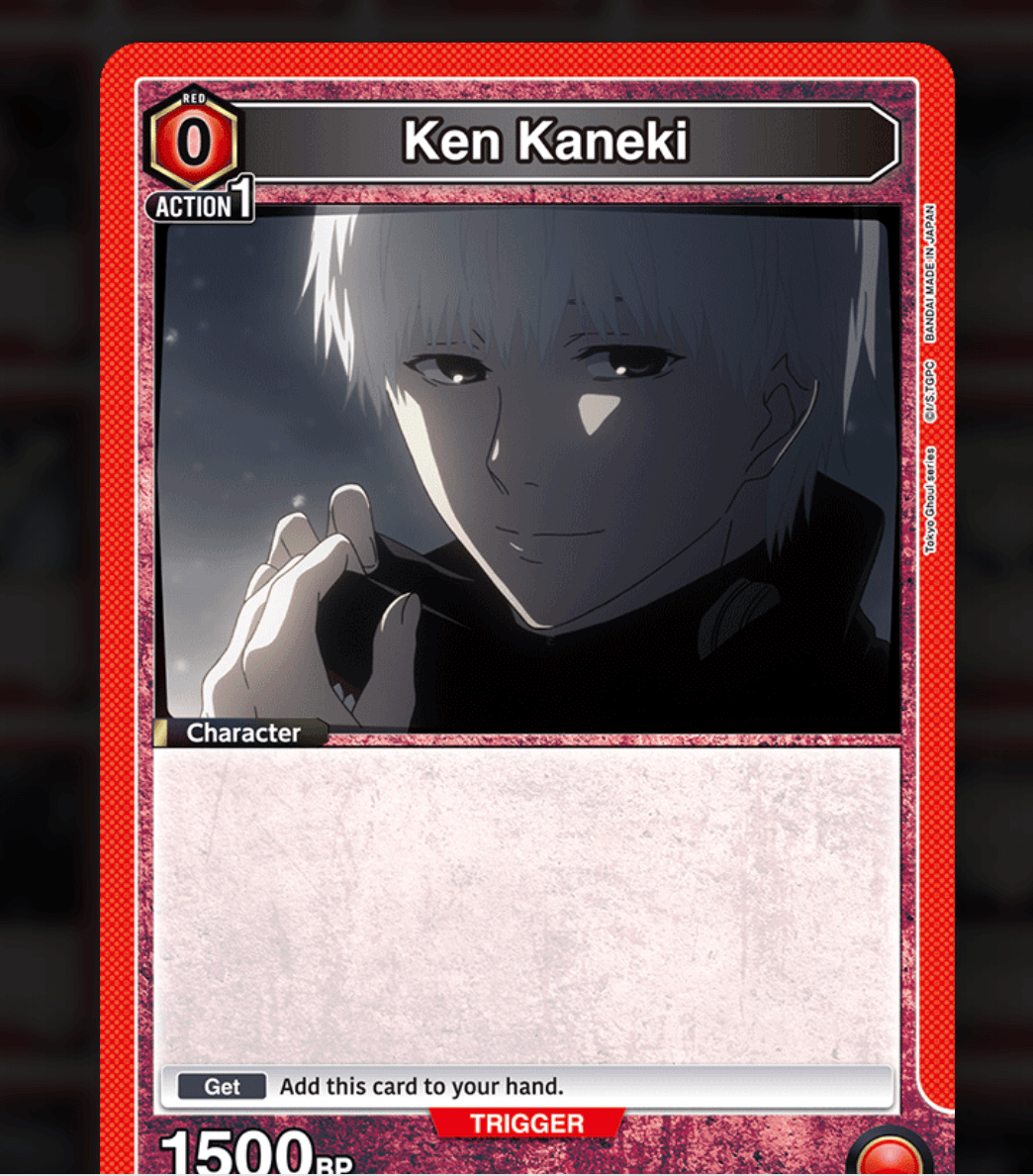
Once in this magnifying glass view, you can exit it at any time by just clicking anywhere on the card or on the shadowy background behind it.
Building your deck
As you select the cards you want for your deck, you’ll see them begin to populate in the “your deck” section. However, just because they are in this area doesn’t mean you can’t still work with them. You can drag and drop the card images in your list, or press the sort button to have them automatically sorted by card type and energy cost.
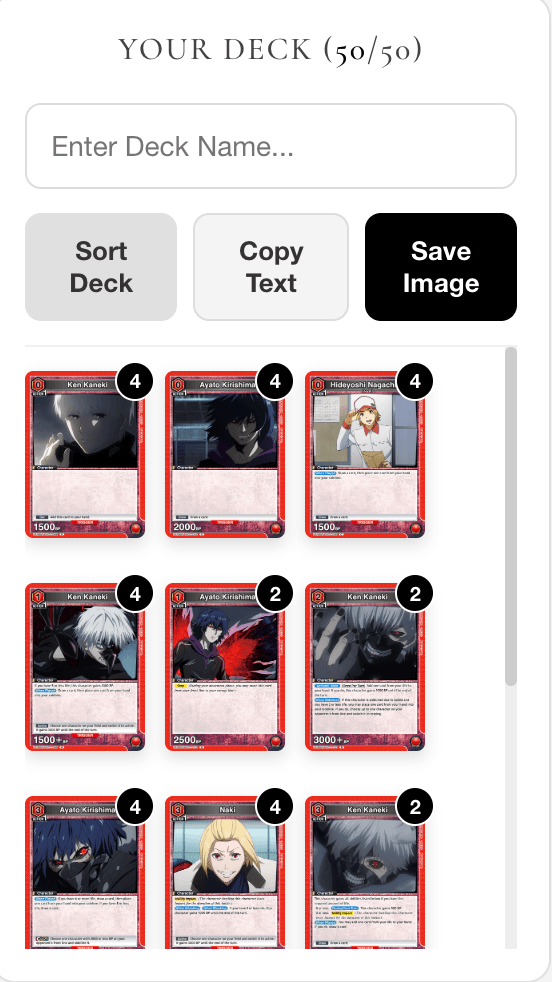
If you want to change the ratio of cards in your deck, that’s easy to do from this view: simply click the card as many times as you want to have that exact number removed from your deck. It’s an intuitive design that won’t be hard for you to get the hang of once you build a deck or two.
Save time with the Trigger breakdown
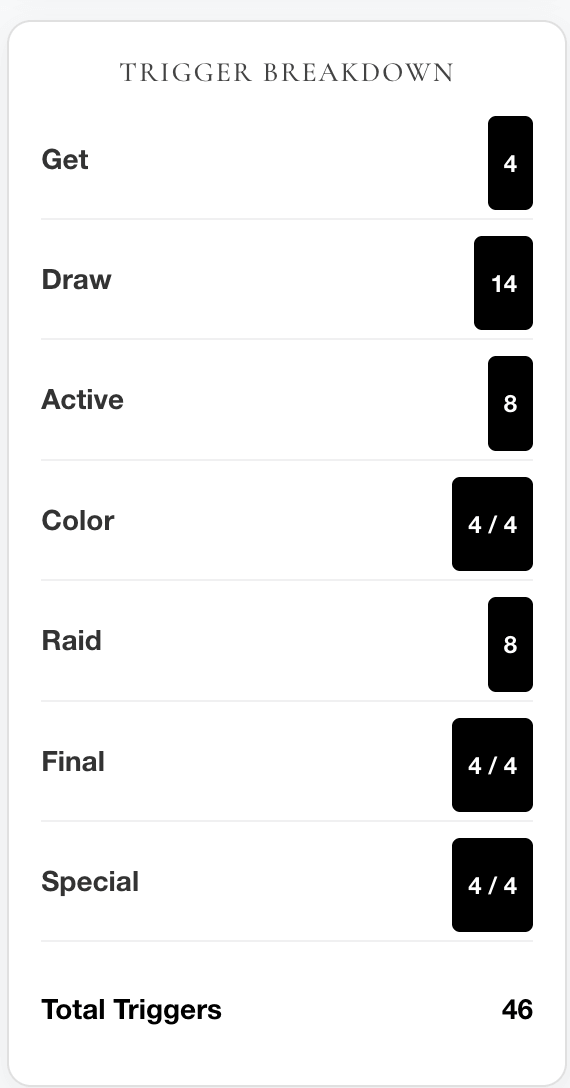
One thing that sets a beginner UNION ARENA deck builder apart from an advanced one is the attention to Triggers. In UNION ARENA, Triggers can win or lose you the game. As such, you want to pay careful attention to the number and ratio of Triggers-to-non-Triggers in your deck.
For this reason, I’ve built a comprehensive Trigger Breakdown into the deck builder, one that will update as you build your deck. The Trigger Breakdown view will show you:
How many total cards with Triggers are in your deck.
How many of each type of Trigger your deck contains.
Notably, Bandai TCG+ currently lacks this feature, meaning that choosing to use the JWA deck builder will save you time on manually counting vital metrics like how many triggers are in your deck.
Saving your deck list image
Once you’re happy with the composition and layout of your deck, give your deck a name, then hit the “Save Image” button. This will let you download the deck in the same way you had it sorted in the builder. See the finished image below.
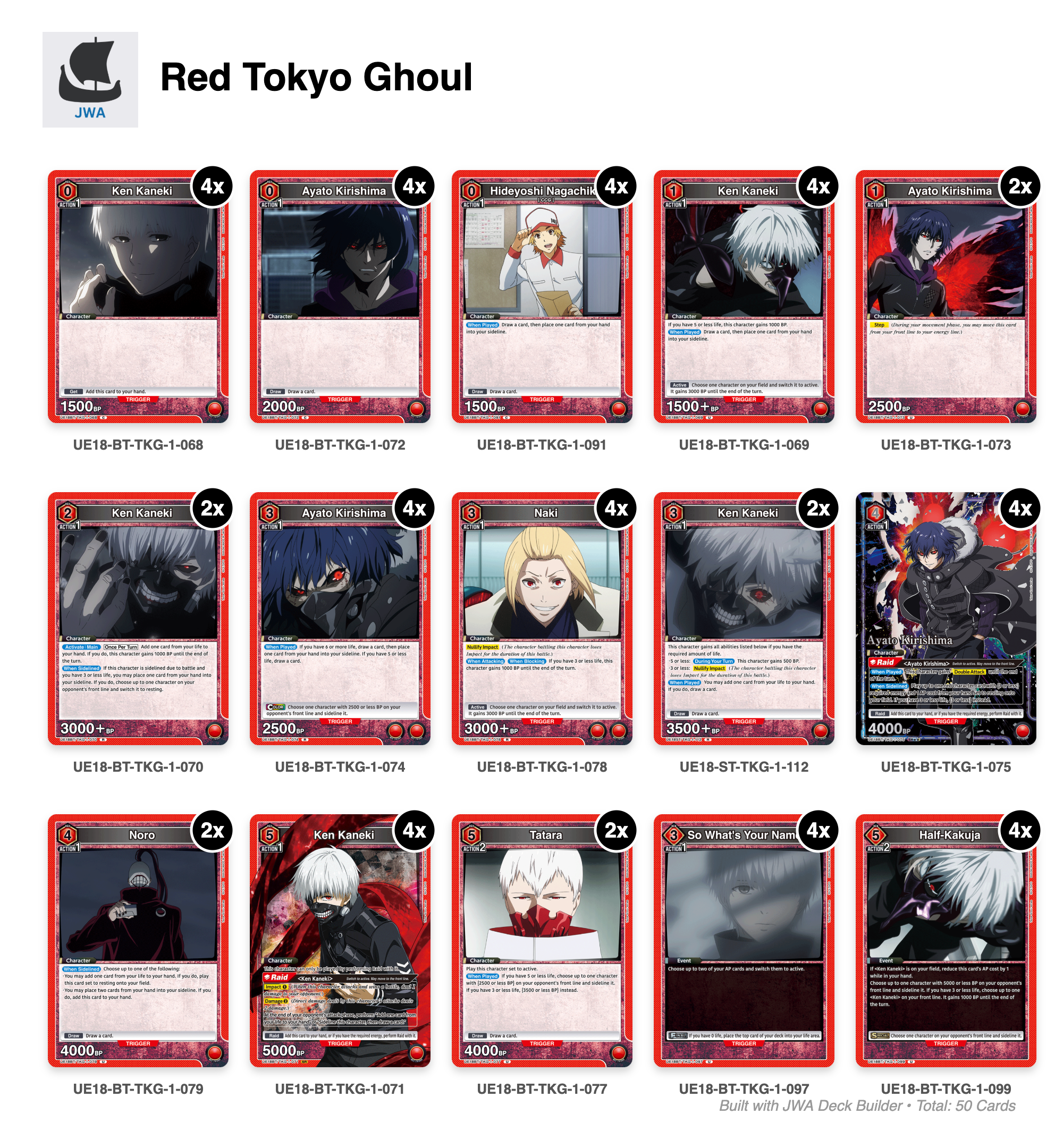
The JWA deck builder automatically includes my logo with it – making this a great way for you to help spread the word about your favorite UNION ARENA blog to friends when you share you deck on social media.
One of my absolute favorite parts about TCGs is the deck building process. For that reason, I’m thrilled to finally have my own deck builder to share with you. Browse my latest deck guides, then give your own innovative new deck recipe a go all in one place on JWA!
Stay tuned for more UNION ARENA updates on the blog, new sets available on the deck builder (coming soon) and as always, keep on battling!